Ever wondered how you get high-speed internet on your phone or laptop without plugging in a single wire? It comes down to radio waves, a router, and a set of standards called IEEE 802.11 — better known by their consumer names, WiFi 5, 6, 7, and now an early preview of WiFi 8. This guide breaks down how WiFi actually works, what a router’s real job is, and where WiFi standards stand today.
Quick answer: WiFi is a wireless networking technology that uses radio waves — the same underlying technology family as FM radio — to send data between your router and your devices at high speed, without a physical cable, and without any harmful effects to humans.
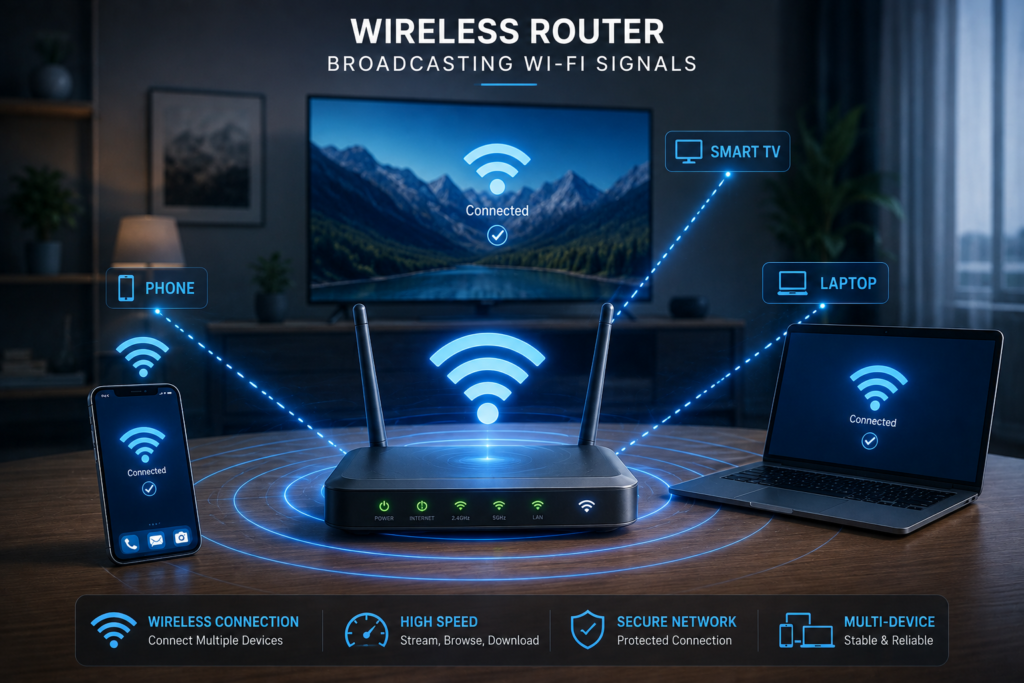
So, What Actually Is WiFi?
WiFi is a popular wireless networking technology that works through radio waves — the same broad technology family used by FM radio and microwaves. This is exactly why WiFi can move data so quickly over a short range: radio waves travel fast, and their frequency isn’t harmful to humans, which is why WiFi has become the standard way to get high-speed internet access wirelessly in homes, offices, and public spaces.
Where Does “802.11” Come From?
The IEEE (Institute of Electrical and Electronics Engineers) is the organization that defines networking standards under the “802” family. A few you’ve likely encountered:
- 802.3 — Ethernet (wired networking)
- 802.15 — Bluetooth
- 802.11 — WiFi (all wireless WiFi standards fall under this umbrella)
Every specific WiFi generation you’ve heard of — 802.11ac, 802.11ax, 802.11be — is simply a different version within that same 802.11 family, each faster and more capable than the last.
What Is a Router, and Why Do You Need One for WiFi?
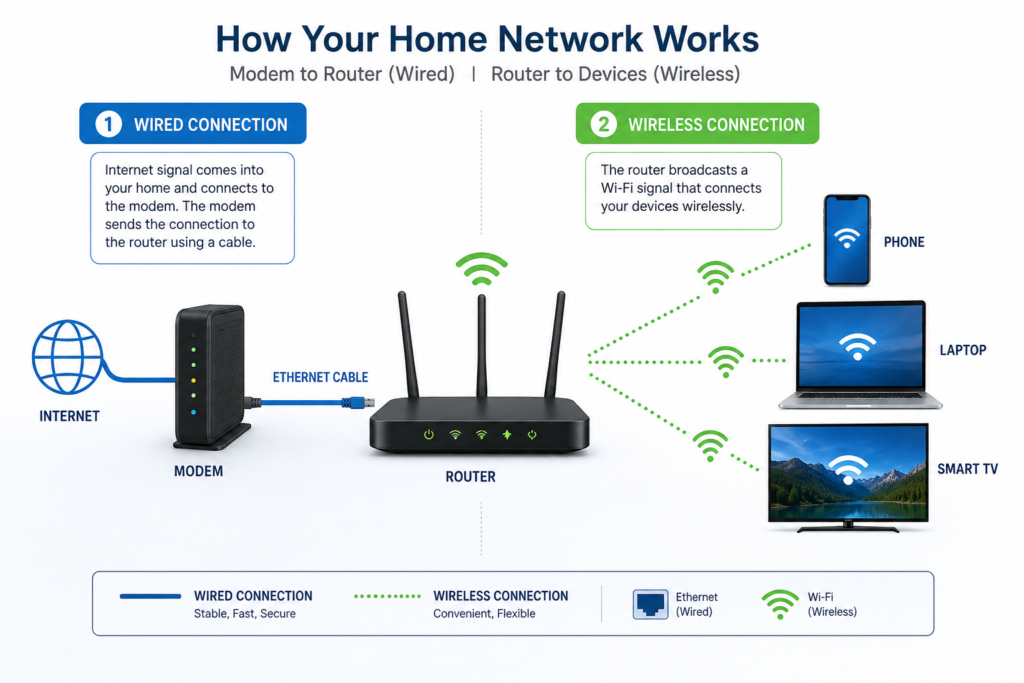
A router is what actually makes WiFi possible for your devices. Your laptop, phone, or smart TV connects to the router wirelessly, but the router itself is connected to the internet through a physical cable (typically fiber, run through a modem). In short: the connection between the router and the wider internet is wired, while the connection between the router and your devices is wireless, carried over radio waves — that wireless leg is what we call WiFi.
WiFi Generations: From 802.11ac to WiFi 8
This is the part that’s changed the most since this topic was first covered — WiFi has moved through two full generations since then. Here’s where things stand today:
| Consumer Name | IEEE Standard | Status in 2026 | Notes |
| WiFi 5 | 802.11ac | Still common on older devices | What the original version of this guide referenced |
| WiFi 6 / 6E | 802.11ax | Widespread on most current routers | 6E adds the 6GHz band for less congestion |
| WiFi 7 | 802.11be | Current mainstream standard | Finalized July 2025; adopted rapidly through 2026 |
| WiFi 8 | 802.11bn | Early preview hardware only | Standard won’t finalize until 2028; focused on reliability, not raw speed |
In practical terms: if you’re buying a new router in 2026, WiFi 7 is the mainstream, fully-supported choice. WiFi 8 hardware is starting to appear at trade shows, but the actual standard isn’t finalized until 2028, so it’s not something to specifically wait for yet unless you enjoy being an early adopter.
Quick Recap
- WiFi = wireless data transfer using radio waves, standardized under the IEEE 802.11 family.
- A router bridges a wired internet connection to a wireless one — the modem-to-router link is wired, the router-to-device link is WiFi.
- WiFi has moved through several generations — WiFi 5 (802.11ac) was current a few years ago; WiFi 7 (802.11be) is the mainstream standard now, with WiFi 8 still in early preview.
FAQs — Frequently Asked Questions
Q1. How does WiFi actually work?
WiFi uses radio waves to transmit data wirelessly between your router and your devices. The router itself connects to the wider internet through a physical cable, then broadcasts that connection to your phone, laptop, or TV using radio frequency signals.
Q2. What is WiFi in simple terms?
WiFi is a wireless networking technology, standardized under IEEE 802.11, that lets devices connect to the internet without a physical cable, using radio waves similar to those used in FM radio.
Q3. What does 802.11 mean?
It’s the IEEE standard number assigned to WiFi networking. Different versions within this family (802.11ac, 802.11ax, 802.11be) represent different WiFi generations, each faster than the last.
Q4. What is the current WiFi standard in 2026?
WiFi 7 (802.11be) is the current mainstream standard, finalized in July 2025 and widely adopted through 2026. WiFi 8 (802.11bn) exists only in early preview hardware and won’t be finalized until 2028.
Q5. Do I need a router to use WiFi?
Yes — a router is what actually creates the wireless signal your devices connect to. Without one, there’s no WiFi network for your phone or laptop to join, even if your internet connection itself is active.
Q6. Is WiFi harmful to health because it uses radio waves?
No. WiFi operates at frequencies that aren’t harmful to humans — it’s part of the same broad radio wave family as FM radio, which has been safely used for decades.
Q7. Should I upgrade to WiFi 7 in 2026?
If you’re buying a new router anyway, WiFi 7 is the sensible mainstream choice with full device support. If your current WiFi 6/6E setup already works well for your needs, there’s no urgent need to upgrade solely for WiFi 7.
Q8. What’s the difference between WiFi and Bluetooth?
Both use radio waves, but they’re different IEEE standards designed for different purposes — WiFi (802.11) is built for higher-speed networking over a moderate range, while Bluetooth (802.15) is designed for lower-power, shorter-range connections like earbuds or wireless keyboards.
Final Thoughts — The Basics Haven’t Changed, the Speed Keeps Improving
WiFi’s core idea has stayed the same for years: radio waves carrying data wirelessly between a router and your devices, standardized under IEEE 802.11. What keeps evolving is the specific generation — from WiFi 5 a few years ago to WiFi 7 as the mainstream standard today, with WiFi 8 still years from being finalized. Understanding that underlying structure means you’ll be able to make sense of whichever generation comes next.
If you found this guide helpful, subscribe to the TapsVision YouTube channel and hit the bell icon — we post clear, well-researched tech explainers regularly, in both Hindi and Hinglish, just for you!
Subscribe TapsVision on YouTube for daily Hindi tech tips — networking, Android, Windows, and more!
Have a question? Comment below or message us on the YouTube video. Everyone is welcome in the TapsVision community!
— TapsVision