Setting up (or upgrading) a home office and not sure which router actually makes sense? This guide skips the confusing spec sheets and breaks it down by what actually matters: how many people are using it, how big your home is, and what you’re willing to spend. Whether you’re working from home occasionally or every day, here’s a genuinely current buying guide for 2026.
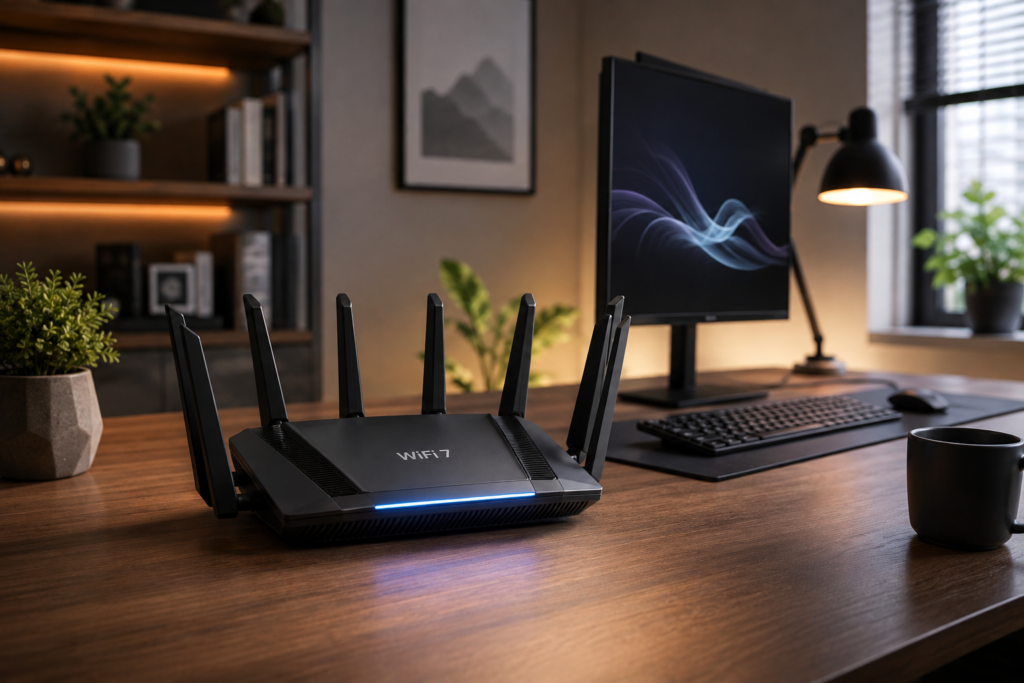
Quick answer: for most households doing regular work-from-home video calls and browsing, a mainstream WiFi 7 router (tri-band, with at least one multi-gig port) is the current sweet spot. Budget WiFi 6 routers still work fine for lighter use, and multi-story homes benefit more from a mesh system than a single router.
This Guide Has Been Updated Since 2020
The original version of this guide was written during the 2020 lockdown, focused on a basic budget router to get by during a sudden shift to working from home. Work-from-home and hybrid setups are now a permanent part of how a lot of people work, so this guide has been rebuilt around what’s actually worth buying today — not emergency-era budget picks, but routers that genuinely hold up for daily, longer-term home office use.
What Actually Matters When Choosing a Router
- WiFi generation — WiFi 6 is a reasonable budget baseline; WiFi 7 is the current mainstream standard and the safer long-term choice if you’re buying new hardware anyway.
- Number of people/devices — more simultaneous video calls, smart home devices, and streaming means you’ll benefit more from tri-band and higher device-handling capacity.
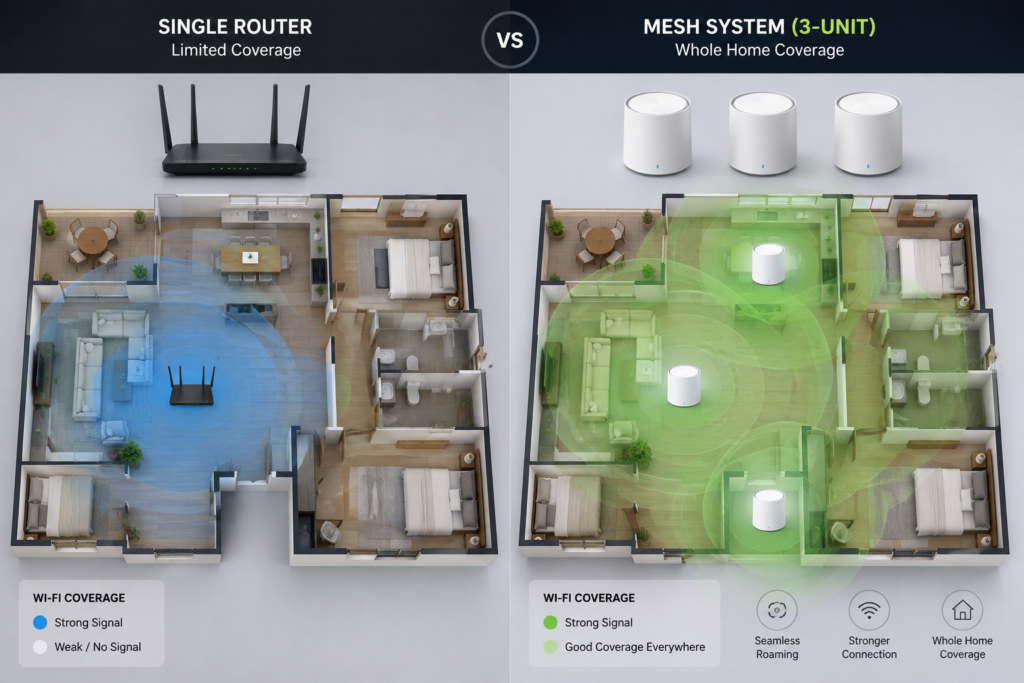
- Home size and layout — a single router works fine for most apartments and small homes; multi-story homes or homes with WiFi dead zones benefit far more from a mesh system than a single stronger router.
- Wired ports — if you’ll ever plug in a desktop, smart TV, or gaming console directly, check for at least one multi-gig Ethernet port rather than relying purely on WiFi.
Which Router Tier Fits You?
Here’s a simple, tiered breakdown instead of a single “best” pick that may not fit your actual setup:
| Tier | Good For | Example Class | 2026 Notes |
| Budget WiFi 6 | 1-2 people, basic video calls & browsing | TP-Link Archer AX21-class | Handles 20+ devices fine for everyday WFH use |
| Mainstream WiFi 7 | Most households — the current sweet spot | TP-Link Archer BE550 Pro-class | Tri-band, multi-gig ports; widely rated best value in 2026 |
| Mesh System | Multi-story homes or homes with dead zones | TP-Link Deco X55 / eero Pro 7-class | Multiple units cover a large home evenly |
| Gaming/Power-user | Heavy gaming, streaming, or many simultaneous 4K streams | ASUS ROG / Nighthawk-class | Highest throughput, but overkill for basic WFH |
For most people setting up or upgrading a home office right now, the mainstream WiFi 7 tier is genuinely the sweet spot — current 2026 router tests consistently rate this tier as the best balance of price and real-world performance, rather than the flagship gaming-tier routers most households don’t need.
| ✔ Check current WiFi 7 router options and pricing → [ https://link.amazon/B0hnkirfM ] |
A Note on ISP-Provided Routers
If your internet provider gave you a router bundled with your plan, it’s worth checking whether it’s actually holding you back before buying a new one. Many ISP-provided routers are functional but basic, and buying your own router — even at the budget tier — often pays for itself within the first year compared to ongoing rental fees some providers charge.
Quick Recap
- WiFi 7 is now the mainstream, sensible default for most home office setups — not an unnecessary upgrade the way it might have felt a year or two after launch.
- Budget WiFi 6 routers remain a genuinely fine choice for lighter, single-person use.
- Multi-story homes or homes with dead zones benefit more from a mesh system than from buying a single more powerful router.
- Check whether you’re paying ongoing rental fees for an ISP-provided router — buying your own often pays for itself quickly.
FAQs — Frequently Asked Questions
Q1. What is the best WiFi router for working from home in 2026?
For most households, a mainstream tri-band WiFi 7 router is the current sweet spot, offering strong performance for video calls and multitasking without paying for gaming-tier features most home offices don’t need.
Q2. Is WiFi 6 still good enough in 2026, or do I need WiFi 7?
WiFi 6 remains genuinely fine for lighter use — browsing, occasional calls, streaming. WiFi 7 is worth the small extra cost if you’re buying new hardware anyway, since it’s now the mainstream standard with wide device support.
Q3. Do I need a mesh WiFi system for my home office?
Only if you have a multi-story home or notice WiFi dead zones. For a typical apartment or single-floor home, one good router is usually sufficient — a mesh system solves a coverage problem, not a speed problem.
Q4. Should I buy my own router or use the one from my internet provider?
Buying your own often makes financial sense — many ISPs charge an ongoing rental fee for their router, and even a budget router you own outright can pay for itself within the first year.
Q5. How many devices can a typical home router handle?
Modern budget routers comfortably handle 20+ devices for everyday use (phones, laptops, smart home devices). If you regularly have many simultaneous heavy users (gaming, 4K streaming), a higher tier with more processing headroom helps.
Q6. What does “tri-band” mean, and do I need it?
Tri-band means the router broadcasts across three separate frequency bands (2.4GHz, 5GHz, and 6GHz) instead of two, reducing congestion when many devices connect at once. It’s a genuine benefit for busy households, though not essential for very light single-person use.
Q7. Is a more expensive router always faster in real-world use?
Not necessarily for typical home office tasks. The mainstream WiFi 7 tier consistently tests as the best balance of price and real-world performance — the most expensive gaming/flagship routers add capability most people never actually use.
Final Thoughts — Buy for Your Actual Setup, Not the Biggest Spec Sheet
The right router depends on how many people are using it, how big your home is, and what you actually do online — not which one has the most antennas. For most home office setups in 2026, a mainstream WiFi 7 router is the sensible sweet spot, budget WiFi 6 remains fine for lighter use, and a mesh system solves coverage problems a stronger single router can’t.
| ✔ Compare current router options for your setup → [ https://link.amazon/B0hnkirfM ] |
If you found this guide helpful, subscribe to the TapsVision YouTube channel and hit the bell icon — we post practical buying guides and tech explainers regularly, in both Hindi and Hinglish, just for you!
Subscribe TapsVision on YouTube for daily Hindi tech tips — networking, home office setups, and more!
Have a question? Comment below or message us on the YouTube video. Everyone is welcome in the TapsVision community!
— TapsVision