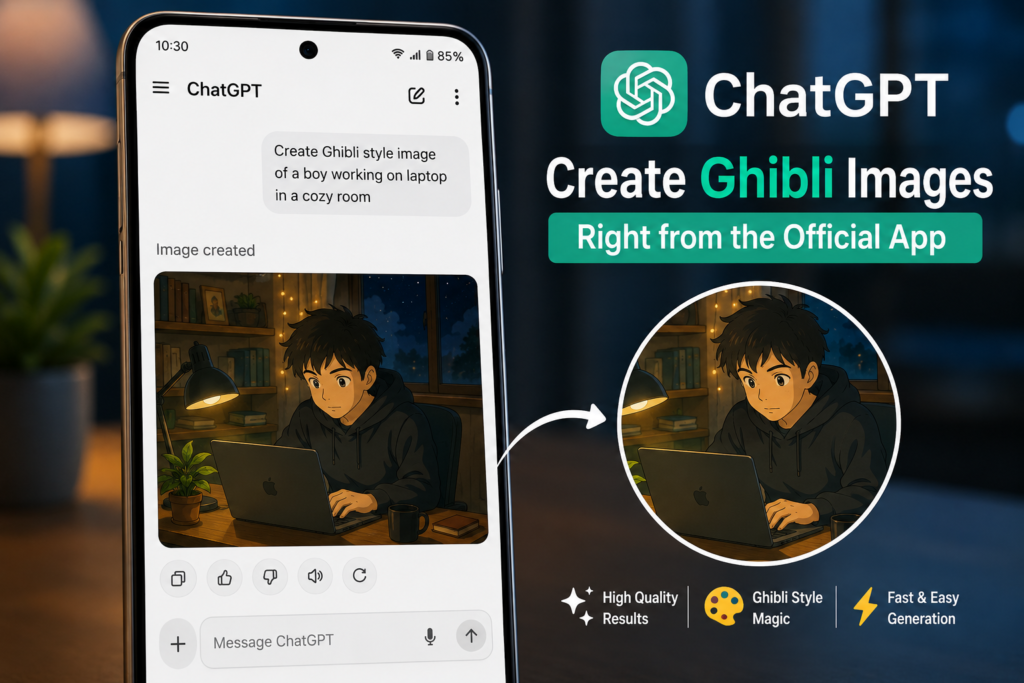
You asked ChatGPT to generate a Ghibli-style image, a cartoon, or any AI artwork — and nothing happened. The image just would not load, or you got an error saying ‘something went wrong while generating’. This is one of the most frustrating ChatGPT problems right now, and the fix is simpler than you think. In most cases, one setting change in Chrome solves it instantly.
This TapsVision video has 28,200 views and is ranked #2 of 10 in its video group — with top search terms including ‘why chatgpt is not generating images’ (642 views, 2.4%), ‘chatgpt image generator problem’ (216 views, 0.8%), and ‘chatgpt not generating images’ (177 views, 0.7%). Millions of users hit this problem every day.
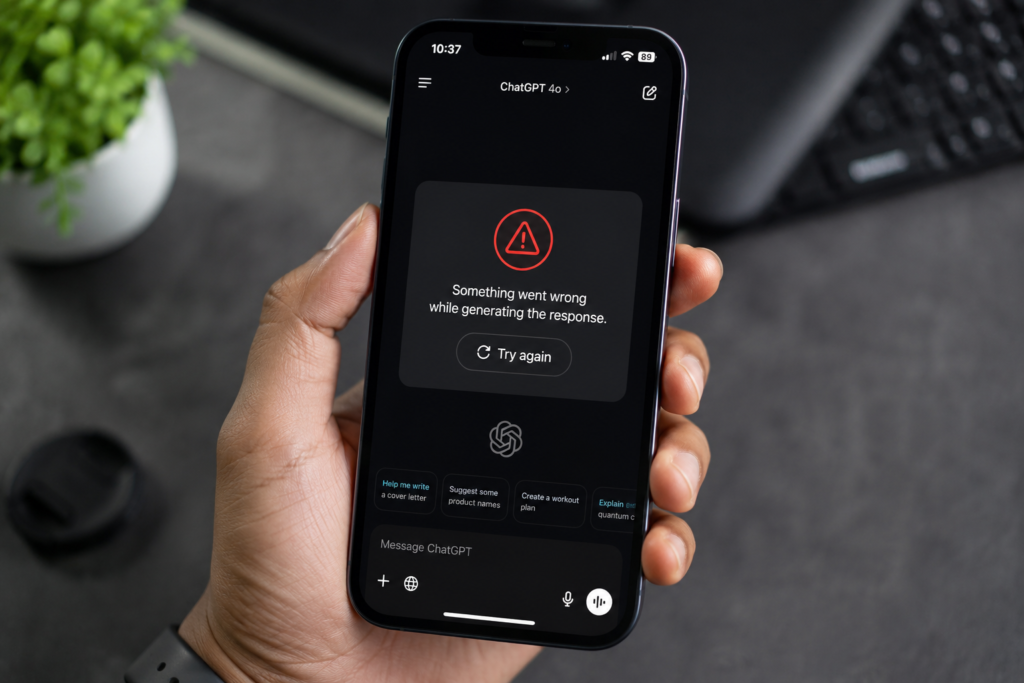
The Real Reason ChatGPT Image Generation Fails on Mobile
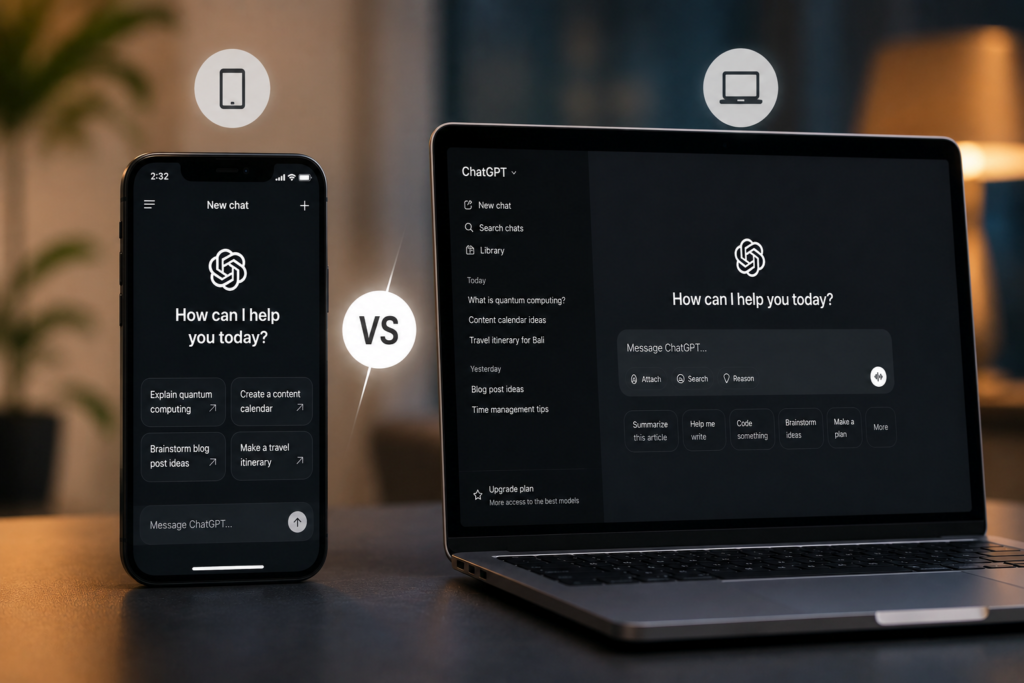
Here is what TapsVision discovered and shared in the video: when you use ChatGPT through a mobile browser (Chrome, Safari, Firefox on your phone), the browser often loads a simplified version of the ChatGPT interface. This mobile view does not fully support image generation — especially newer features like the Ghibli Studio style, cartoon mode, or DALL-E image creation.
The result: you type your image prompt, hit enter — and nothing happens. Or you see an error. The image generation feature is either hidden, broken, or just not available in the mobile browser view.
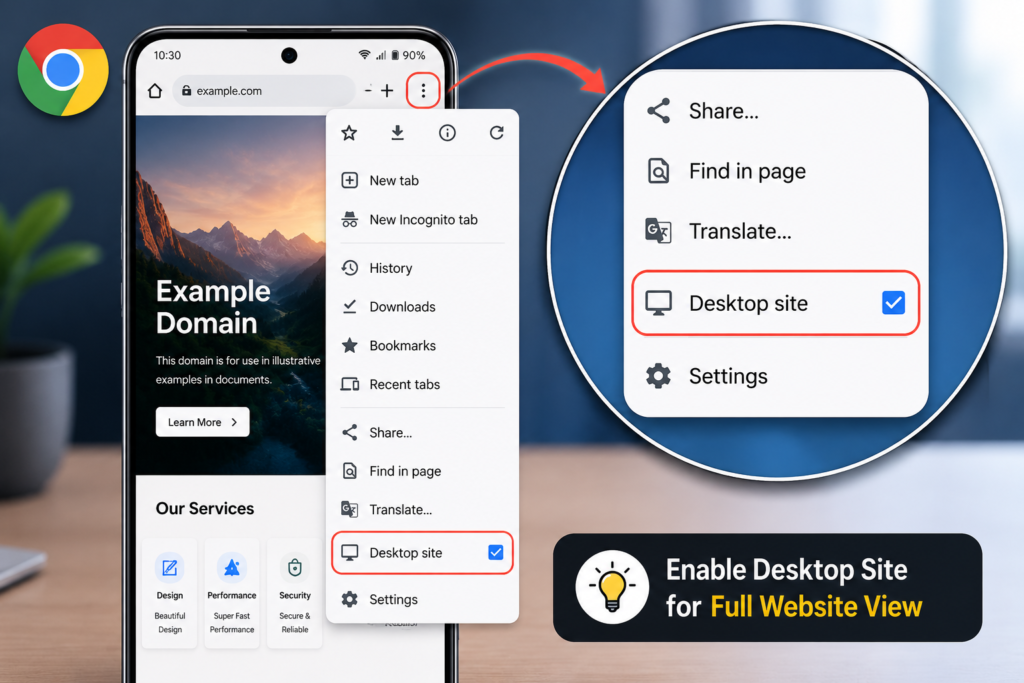
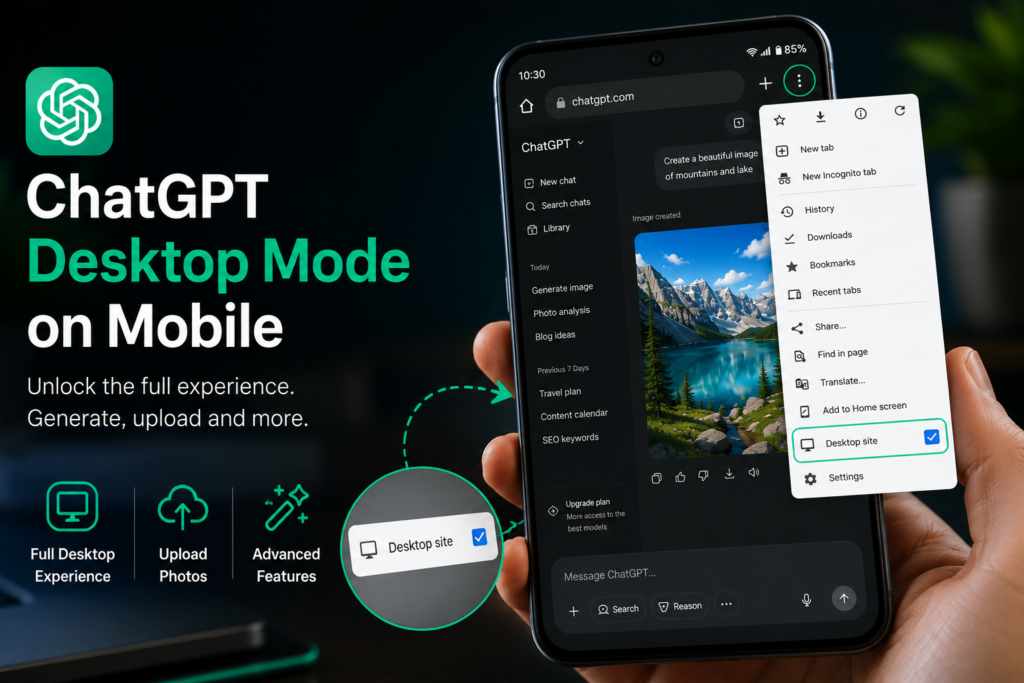
The fix: switch Chrome to Desktop Mode. This loads the full ChatGPT website exactly as it appears on a computer — and image generation works perfectly.
The Fix: Enable Desktop Mode in Chrome — Step by Step
This fix works on Android phones. For iPhone users, see the Safari section further below.
Fix on Android (Chrome) — Recommended Method
- Open Chrome on your Android phone.
- Go to chat.openai.com and log into your ChatGPT account.
- Tap the three dots menu (top right corner of Chrome).
- Scroll down and tap ‘Desktop site’ — a checkmark will appear next to it.
- The page will reload automatically in desktop view.
- Now type your image prompt in ChatGPT and tap send.
- Image generation will now work — including Ghibli style, cartoons, realistic art, and all other styles.
Fix on iPhone (Safari)
- Open Safari on your iPhone.
- Go to chat.openai.com and log in.
- Tap the ‘aA’ button in the address bar (left side).
- Tap ‘Request Desktop Website’.
- The page reloads in full desktop mode.
- Now try your image generation prompt again.
Alternative Fix: Use the ChatGPT App
If the browser fix does not work for you, download the official ChatGPT app from the App Store or Google Play Store. The app has full image generation support built-in and does not require desktop mode switching. This is the most reliable long-term solution for mobile users.
- Download ChatGPT from Google Play Store or Apple App Store.
- Log in with your OpenAI account.
- Tap the image icon or type your image prompt directly.
- Image generation works natively — no desktop mode needed.
All ChatGPT Image Problems — Causes and Fixes
Image generation can fail for several different reasons. Here is a complete reference:
| Error / Situation | Likely Cause | Fix |
| Image not generating on mobile browser | Mobile browser lacks full ChatGPT UI | Enable Desktop Mode in Chrome |
| ‘Something went wrong while generating’ | Server overload or content filter | Rephrase prompt, try again later |
| ‘We’re so sorry but the image we created…’ | Content policy violation in prompt | Remove sensitive terms, rephrase |
| ‘This image generation request didn’t…’ | Prompt flagged by safety filter | Use safer, descriptive language |
| ChatGPT not showing image output | Browser rendering issue | Refresh page, try Desktop Mode |
| Photo upload not working in ChatGPT | Mobile browser limitation | Switch to Desktop Mode or use PC |
| Ghibli / cartoon style not generating | Style request blocked or UI issue | Use Desktop Mode + rephrase style |
| ChatGPT camera not working | App or browser permission denied | Grant camera permission in settings |
How to Generate Ghibli Studio Style Images in ChatGPT
The Ghibli Studio style became massively popular in 2025 when ChatGPT added the ability to generate anime-style images inspired by Studio Ghibli films. Here is how to use it correctly after applying the desktop mode fix:
- Enable Desktop Mode in Chrome (follow steps above).
- Log into ChatGPT at chat.openai.com.
- In the message box, type a detailed image prompt.
- Example: ‘A young girl walking through a magical forest in Studio Ghibli animation style, soft watercolor colors, detailed background, peaceful atmosphere’
- Press Enter or tap the send button.
- ChatGPT will generate the image — it usually takes 10-30 seconds.
- You can then download, share, or ask ChatGPT to modify the image.
Important: ChatGPT’s image generation is powered by DALL-E. For Ghibli-style images, be descriptive in your prompt — mention the art style, mood, colors, and setting for best results.
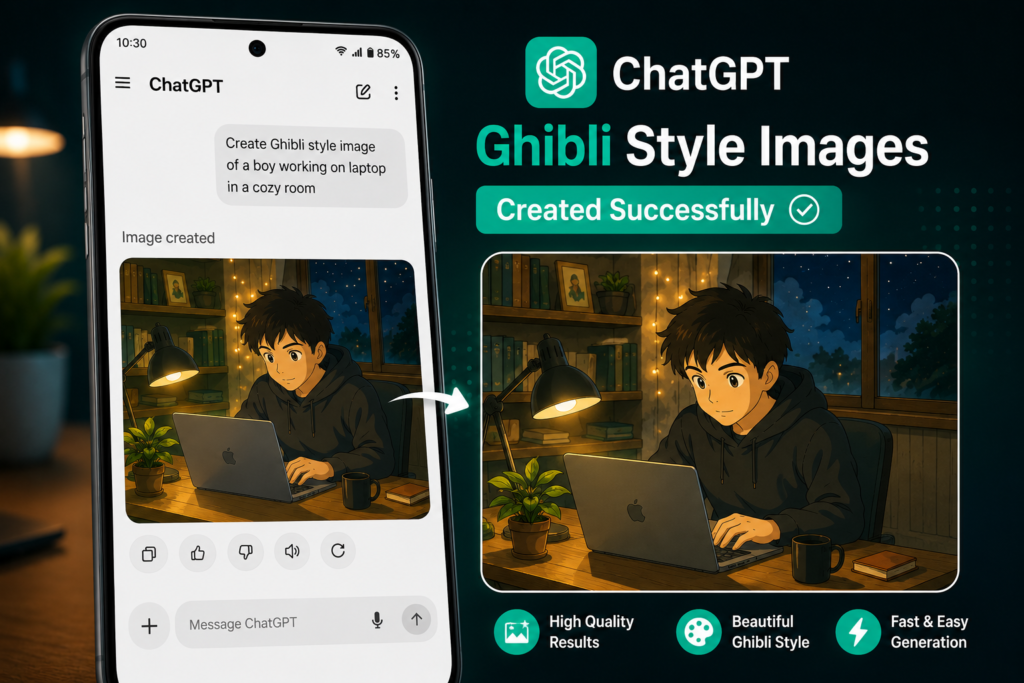
Image Styles You Can Generate in ChatGPT
| Image Style | Example Prompt | Works After Desktop Mode Fix? |
| Ghibli Studio | A girl walking through a forest in Studio Ghibli anime style | Yes |
| Cartoon | A cartoon superhero cat in comic book style | Yes |
| Realistic portrait | A realistic oil painting portrait of a young man | Yes |
| Logo design | A minimalist tech startup logo with blue and white colors | Yes |
| Watercolor | A watercolor painting of a mountain lake at sunset | Yes |
| 3D render | A 3D rendered futuristic city skyline at night | Yes |
What Does ‘We’re So Sorry But the Image We Created’ Mean?
This specific error message from ChatGPT means the image was generated internally but could not be shown to you because it violated OpenAI’s content policy. This happens when:
- The prompt contained terms that triggered the safety filter
- The generated image showed content OpenAI considers inappropriate
- The style or subject matter crossed content guidelines
Fix: Rephrase your prompt. Remove any references to real people, violent content, adult themes, or copyrighted characters. Describe what you want in general, artistic terms. For example, instead of naming a specific character, describe their appearance and style.
What Does ‘Something Went Wrong While Generating’ Mean?
This error usually means one of these things:
- ChatGPT servers are overloaded — this is common during peak hours globally
- Your internet connection dropped during generation
- The mobile browser view failed to process the full image generation request
- A temporary OpenAI service outage
Fix: Wait 5 minutes and try again. Enable Desktop Mode first. If the problem persists for more than 30 minutes, check status.openai.com for any ongoing outages.
ChatGPT Photo Upload Problem — How to Fix
If you are trying to upload a photo to ChatGPT for editing or analysis and it is not working on mobile:
- Enable Desktop Mode in Chrome (same fix as above).
- The upload button becomes fully functional in desktop view.
- Alternatively, use the official ChatGPT app — photo upload works natively.
- Make sure the file is under 20MB and in a supported format (JPG, PNG, WEBP, GIF).
- Check that Chrome has permission to access your photo library in phone settings.
![chatgpt photo upload problem fix desktop mode chrome]](https://tapsvision.in/wp-content/uploads/2026/06/file_000000003b6471fabcda65a6c78346c8-1024x576.png "ChatGPT Image Not Generating? Fix It in 60 Seconds — Ghibli, Cartoon & All Styles")
Watch the Full Video on YouTube
Frequently Asked Questions
Q1. Why is ChatGPT not generating images?
The most common reason on mobile is that your browser is loading the mobile version of ChatGPT, which does not fully support image generation. Enable Desktop Mode in Chrome or Safari, or use the official ChatGPT app. If you are on a PC and images are not generating, the issue is usually a server-side problem — wait and try again.
Q2. How do I fix ‘chatgpt image not generating’ on Android?
Open Chrome > go to chat.openai.com > tap the three dots menu > tap ‘Desktop site’. The page reloads in full desktop mode and image generation works. This is the fix TapsVision demonstrated in the video.
Q3. Why does ChatGPT say ‘something went wrong while generating’?
This usually means server overload or a temporary error. Wait 5-10 minutes and try again. Also make sure you are using Desktop Mode on mobile — the mobile browser version of ChatGPT sometimes fails at the generation step even when the prompt is submitted correctly.
Q4. What does ‘we’re so sorry but the image we created’ mean?
This means ChatGPT generated an image internally but blocked it from being shown because it violated content policy. Rephrase your prompt — remove specific character names, sensitive themes, or anything that might trigger content filters. Use descriptive, artistic language instead.
Q5. ChatGPT Ghibli image not generating — how to fix?
Enable Desktop Mode in Chrome first (three dots > Desktop site). Then try your Ghibli prompt again. In the prompt, describe the scene in detail: mention ‘Studio Ghibli animation style’, describe colors, mood, and setting. Avoid naming specific Ghibli characters or films directly.
Q6. ChatGPT photo upload problem — why can’t I upload images?
On mobile browsers, the photo upload feature is often limited or broken. Fix: enable Desktop Mode in Chrome, or use the official ChatGPT app from Google Play / App Store. Also check that your browser has permission to access your phone’s photo library.
Q7. ChatGPT not working at all — what to do?
Check status.openai.com to see if there is an active outage. Clear your browser cache and cookies. Try logging out and back in. Switch to Desktop Mode if on mobile. If using the app, force-close and reopen it. Try a different browser (Chrome, Firefox, Edge) as a test.
Q8. ChatGPT image generation not working on iPhone?
On Safari, tap the ‘aA’ button in the address bar > ‘Request Desktop Website’. On Chrome for iPhone, tap the three dots > ‘Request Desktop Site’. Alternatively, download the official ChatGPT app from the App Store — it has full image generation support without any browser workarounds.
Q9. Is ChatGPT image generation free?
ChatGPT offers limited free image generation for all users. ChatGPT Plus subscribers ($20/month) get significantly higher image generation limits and access to the latest DALL-E model. Free users may find image generation unavailable during peak server load times.
Q10. ChatGPT camera not working — how to fix?
If the camera option in ChatGPT is not working on mobile, go to your phone’s Settings > Apps > Chrome (or ChatGPT app) > Permissions > Camera — and make sure camera access is granted. On iPhone, go to Settings > Privacy > Camera and toggle on ChatGPT or Chrome.
Final Thoughts
If ChatGPT image generation is not working on your mobile, the fix almost always comes down to one thing: your browser is loading the mobile version of ChatGPT, which does not fully support image generation. Enable Desktop Mode in Chrome (three dots > Desktop site), reload, and your images — including Ghibli style, cartoons, and realistic art — will generate without any issues.
For more ChatGPT tips, AI tools guides, Android troubleshooting, and mobile tech content — subscribe to TapsVision on YouTube. We find the quick fixes that save you hours of frustration.
TapsVision