Published: May 2026 (Updated 2026) | tapsvision.in
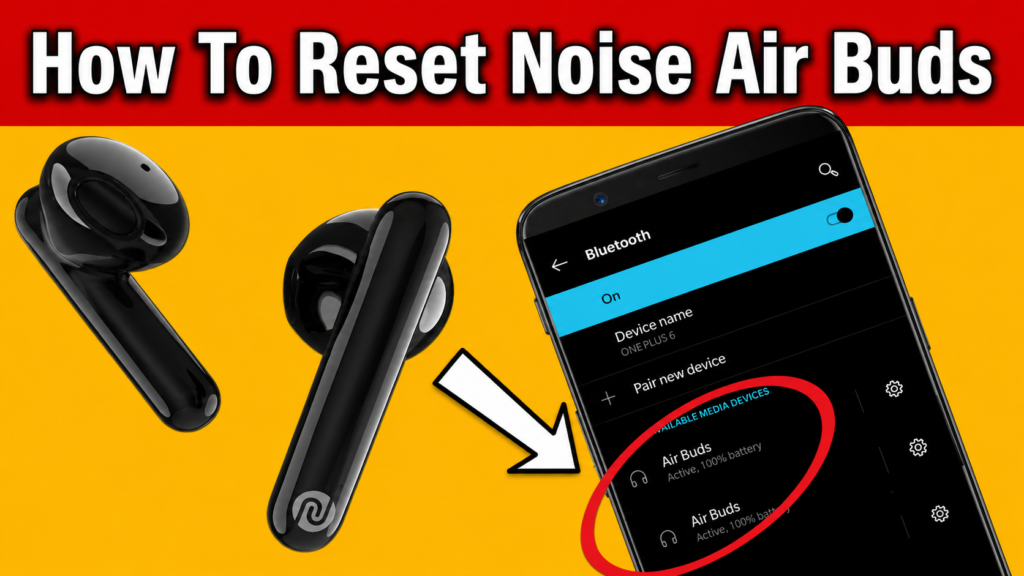
You open your phone’s Bluetooth settings and see two entries for your Noise Air Buds — both showing as separate devices. Or maybe one earbud is not working, they refuse to connect, or they simply won’t pair anymore. This is one of the most common problems with Noise earbuds, and the good news is — you do not need to visit a service center.
This guide explains exactly how to reset Noise Air Buds, fix the double Bluetooth error, and get both earbuds working again in under 2 minutes.
6.8 lakh people have watched this fix on YouTube. It works. Read on.
Why Are Your Noise Earbuds Showing Double Bluetooth or Not Connecting?
There are two main reasons your Noise Air Buds stop working correctly:
Reason 1 — Pairing Memory Conflict (Most Common)
When you connect your Noise earbuds to multiple devices over time, the pairing memory can get confused. Each earbud stores connection data separately, so they can fall out of sync and show up as two different Bluetooth devices on your phone.
Reason 2 — Low Battery or Incomplete Charge
If the earbuds are not fully charged, the reset process may not complete properly. This is a very common reason why people try the reset and it does not work. Always charge to 100% before attempting a reset.
⚠ Quick Check: If only one earbud is working or you see two separate Bluetooth names (like “Air Buds” and “Air Buds”), it is 100% a pairing memory issue. This guide will fix it.
How to Reset Noise Air Buds and Fix the Double Bluetooth Error — Step by Step
This method works specifically for Noise Air Buds. The steps may vary for other brands.
Step 1 — Disconnect from All Devices
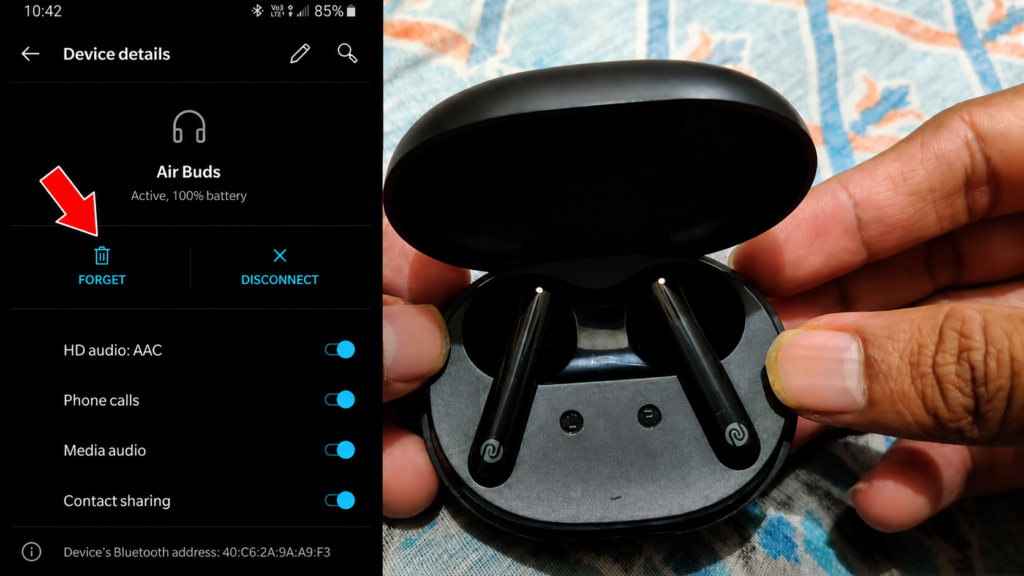
Go to Bluetooth settings on your phone (or any device the earbuds are connected to) and disconnect them. If you have connected them to multiple phones or laptops, disconnect from all of them.
Step 2 — Charge the Earbuds to 100%
Place both earbuds back in the charging case. Close the lid and charge for at least 30 minutes — or until the LED indicator shows a full charge (both LEDs should be white or solid). This step is critical. If the battery is not full, the reset will not work properly.
Step 3 — Take Out and Put Back the Earbuds 2-3 Times
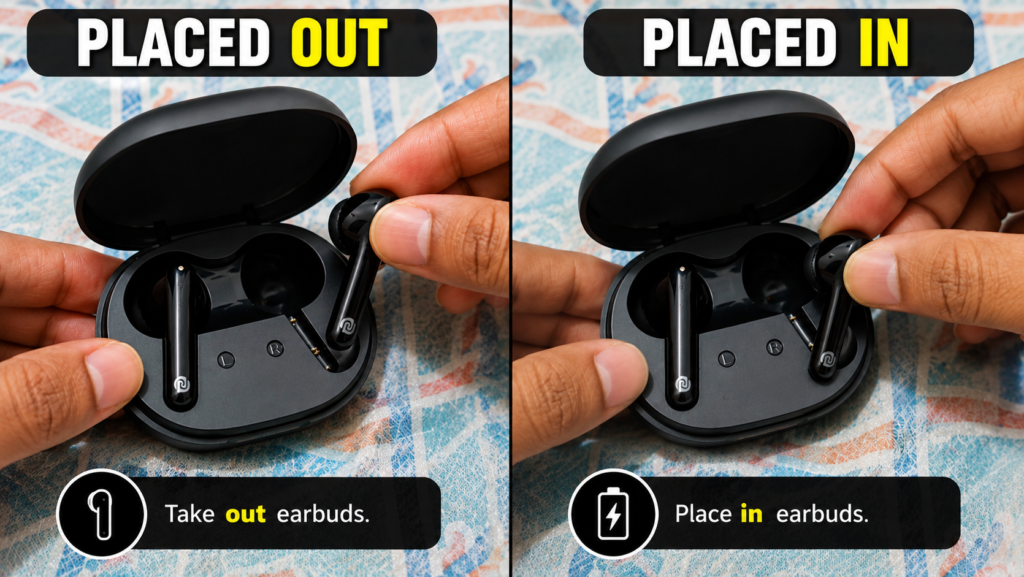
Open the charging case. Take both earbuds out, then place them back in. Repeat this 2 to 3 times. Close the lid each time. This helps the case detect the earbuds correctly and prepares them for the reset.
Step 4 — Press and Hold the Case Button to Reset
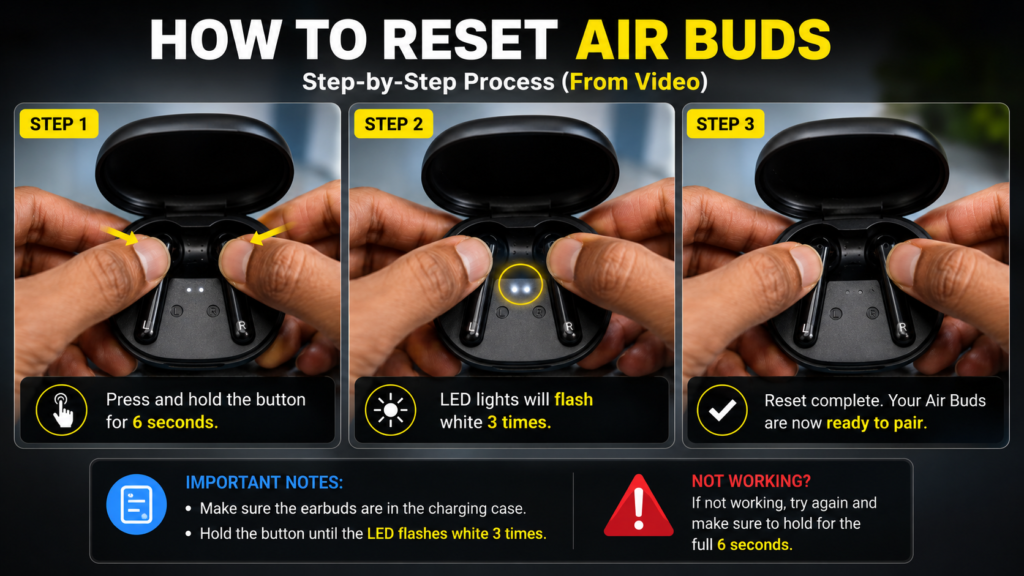
With both earbuds inside the case and the lid open, press and hold the button on the charging case. You will see two LED lights flashing — this means the earbuds are disconnected from all paired devices and the memory is being cleared.
Continue holding until the lights flash in a reset pattern (rapid blink or alternating). Once the lights behave differently, the reset is complete.
Step 5 — Pair Again from Scratch
Take the earbuds out of the case. Open Bluetooth settings on your phone and search for new devices. You should now see only one entry — “Air Buds” or the name of your specific Noise model. Tap to connect. Both earbuds should now work together as one device.
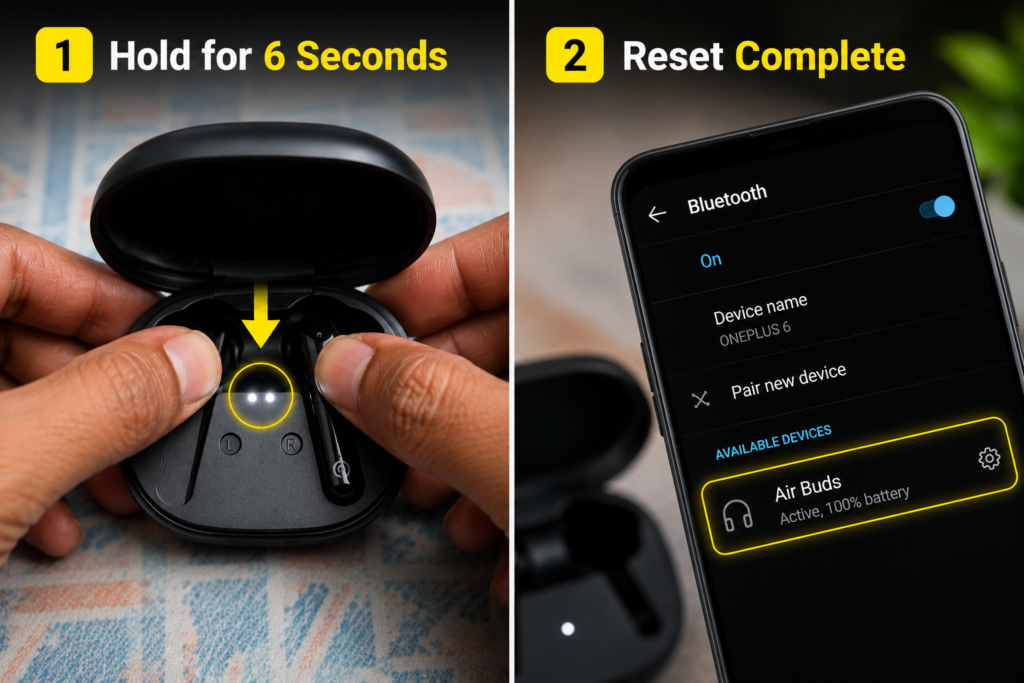
After the Fix — What to Expect
Once the reset is done and you pair fresh:
- The double Bluetooth entry in your phone should be gone — only one entry will appear
- Both earbuds will work together in stereo
- The earbud that was silent or not connecting should be active again
- Connection will be stable and faster
If the problem returns after connecting to a new device, simply repeat this reset process. It takes less than 2 minutes.
Which Noise Earbuds Does This Fix Work For?
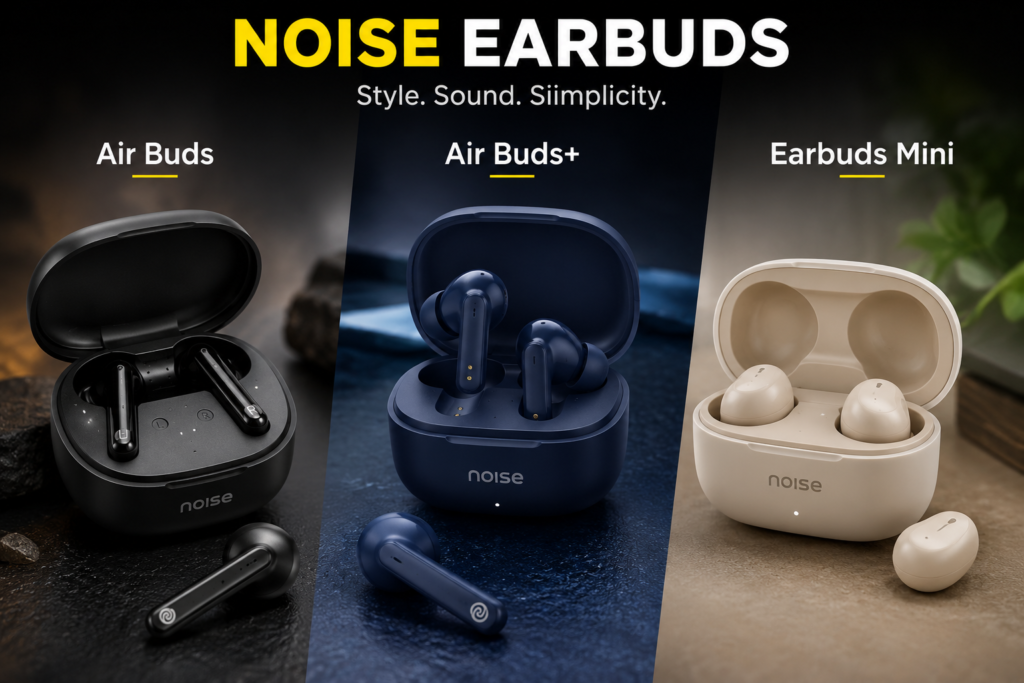
This reset method works for:
- Noise Air Buds
- Noise Air Buds+ (Plus)
- Noise Earbuds Mini
- Most Noise TWS earbuds with a charging case button
Note: This method is specific to Noise brand earbuds. The button location and LED behavior may differ between models.
- Recommended Products
Noise Earbuds
USB Type-C Charging Cable
Fast Charger Adapter
Bluetooth Cleaning Kit
Watch the Full Tutorial
I have explained this entire process in my YouTube video with a live demo and screen recording showing every step. Watch it if you want to see the exact LED behavior and button press during reset.
Search ‘Noise Air Buds Reset TapsVision’ on YouTube or use the link in the video description.
Frequently Asked Questions
How to reset Noise earbuds when they are not responding?
Place both earbuds in the charging case, ensure they are charged to 100%, and press and hold the button on the case. When you see the LED lights flash rapidly, the reset is complete. Take them out and pair fresh from your phone’s Bluetooth menu.
Why are my Noise earbuds showing two Bluetooth connections?
This happens when each earbud has lost sync with the other and is broadcasting independently. A factory reset through the case button clears the pairing memory on both earbuds and syncs them back together.
Noise Air Buds one side not working — how to fix?
If only one earbud is producing sound, it is almost always a pairing memory issue. Follow the steps in this guide — disconnect from all devices, charge to 100%, then perform the case reset. After re-pairing, both earbuds should be active.
How to connect both Noise earbuds at the same time?
After a reset, take both earbuds out of the case together. Do not put just one in your ear first. When both are out simultaneously, they will pair with each other first, then show up as one device on your phone.
How to connect Noise earbuds to Android?
After resetting, open Bluetooth settings on your Android phone and tap ‘Pair new device’. Take both earbuds out of the case at the same time. Your Noise earbuds will appear in the available devices list — tap on them once to connect.
Noise Air Buds ko reset kaise kare?
Apne Noise Air Buds ko charging case mein rakhein. Case ko charge karein jab tak 100% na ho jaaye. Phir case ka button press karke hold karein jab tak LED lights flash na karein. Uske baad earbuds nikaalein aur phone ke Bluetooth se dobara pair karein.
How to connect Noise earbuds to an iPhone?
The process is the same on iPhone. Go to Settings > Bluetooth, make sure Bluetooth is on, take both earbuds out of the case together, and they will appear under ‘Other Devices’. Tap to pair. If they do not appear, perform the reset first.
Final Thoughts
A Noise earbud that shows double Bluetooth, refuses to connect, or only works on one side is almost never a hardware defect. In most cases, it is a pairing memory issue that a simple 2-minute reset completely fixes — for free, at home.
If this guide fixed your problem, share it with someone else facing the same issue. It could save them a trip to the service center.
— TapsVision