If your Mi TV is not turning on — no light, blank screen, remote not working — I’ve been exactly where you are. My Mi Android TV went completely dead after I connected an HDMI cable. No sound. No picture. Nothing. If you’re panicking right now wondering whether to call MI’s service center, read this first. You might save yourself several thousand rupees.
📊 This video has been watched 700+ times since February 2026 — and the comment section is full of people who saved money by reading the full story first.
Why Does a Mi TV Suddenly Stop Turning On?
Most people assume their TV is completely broken when it won’t start. But in many cases, it’s a specific component failure — not the whole unit.
Here’s what happened in my case: I was working on a video about connecting a laptop to a TV via HDMI. The moment I plugged the cable in, I heard a loud “boom” — and my Mi TV died on the spot. No indicator light, no response from the remote, nothing on the display.
After two separate repair visits, here’s what I learned about why Mi TVs (and Xiaomi / Redmi TVs) suddenly fail:
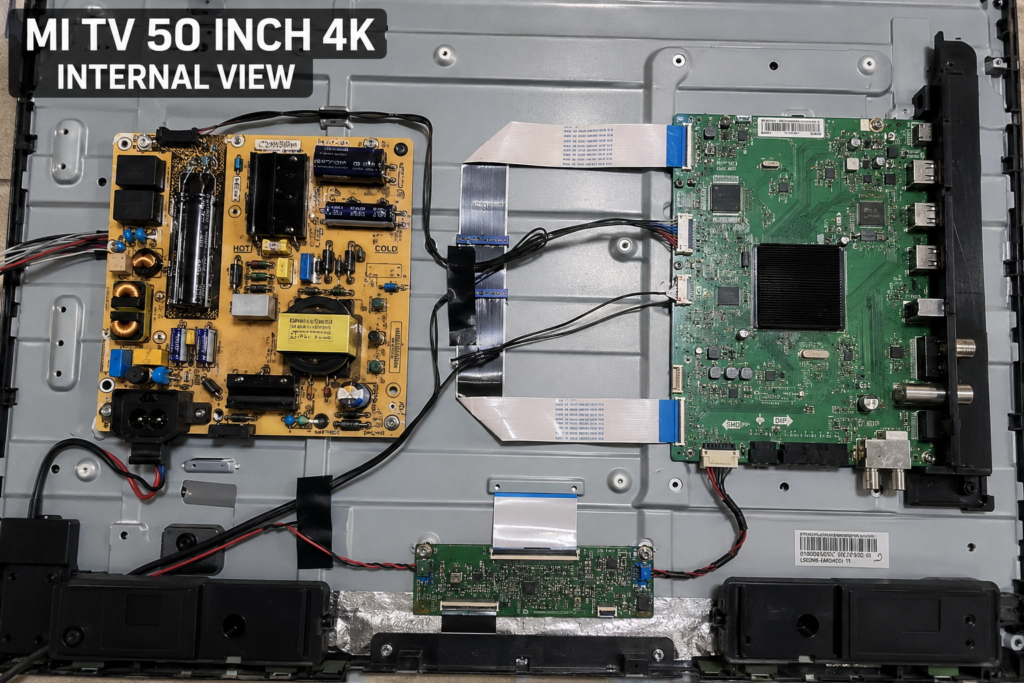
- Power socket or power board failure — This was my first issue. A voltage surge via the HDMI port damaged the power input circuit.
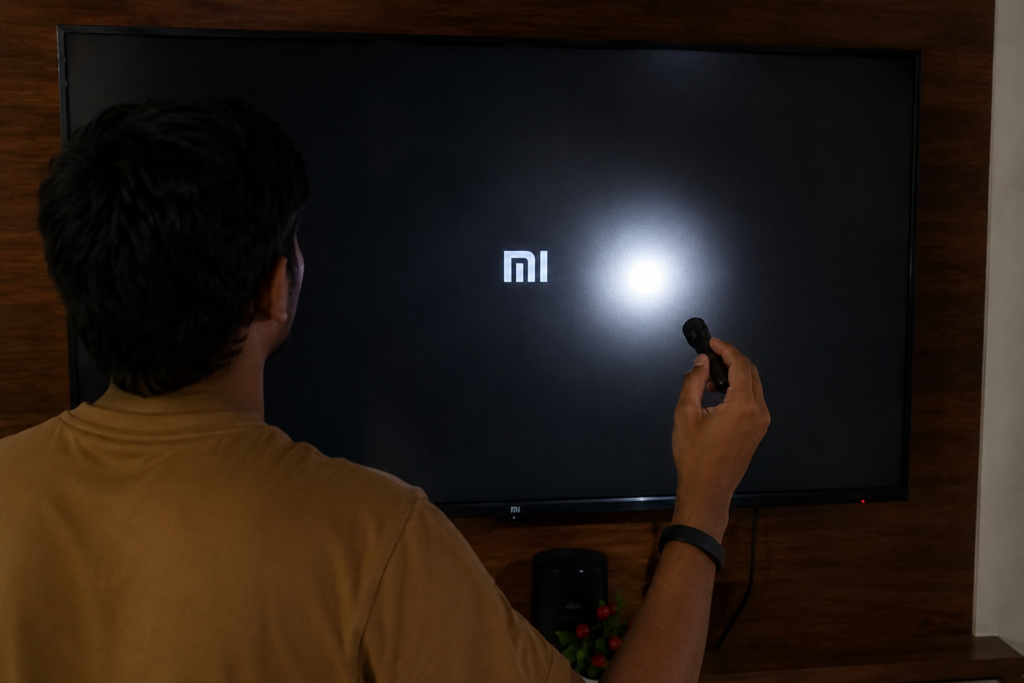
- Backlight strip failure — My second failure. The TV was turning on (you could faintly see the picture with a flashlight), but the backlight strips had failed.
- Mainboard failure — More expensive. MI’s official service center immediately suggested this for my first issue, quoting ₹7000+.
- Display panel damage — Usually the most expensive repair.
⚠ Warning: If you plug in HDMI cables while both devices are powered on, you risk a voltage spike that can damage the TV’s power board. Always turn off both devices before connecting HDMI.
What You Need Before Calling a Technician
- Your TV’s model name (check the sticker on the back, e.g. Mi TV 4A, 4X, 5X)
- Warranty status — check the purchase receipt or Mi app
- A flashlight to do a quick backlight test (explained below)
- MI Service Center contact (book at mi.com/service)
- A local TV repair technician as backup option
Step-by-Step: What to Do When Your Mi TV Won’t Turn On
Step 1: Do the Flashlight Test
Shine a torch or mobile flashlight directly onto the TV screen in a dark room. If you can faintly see a picture or text — like the home screen — your TV is actually running, but the backlight has failed. This is a much cheaper fix than a full display replacement.
Step 2: Check the Power Indicator Light
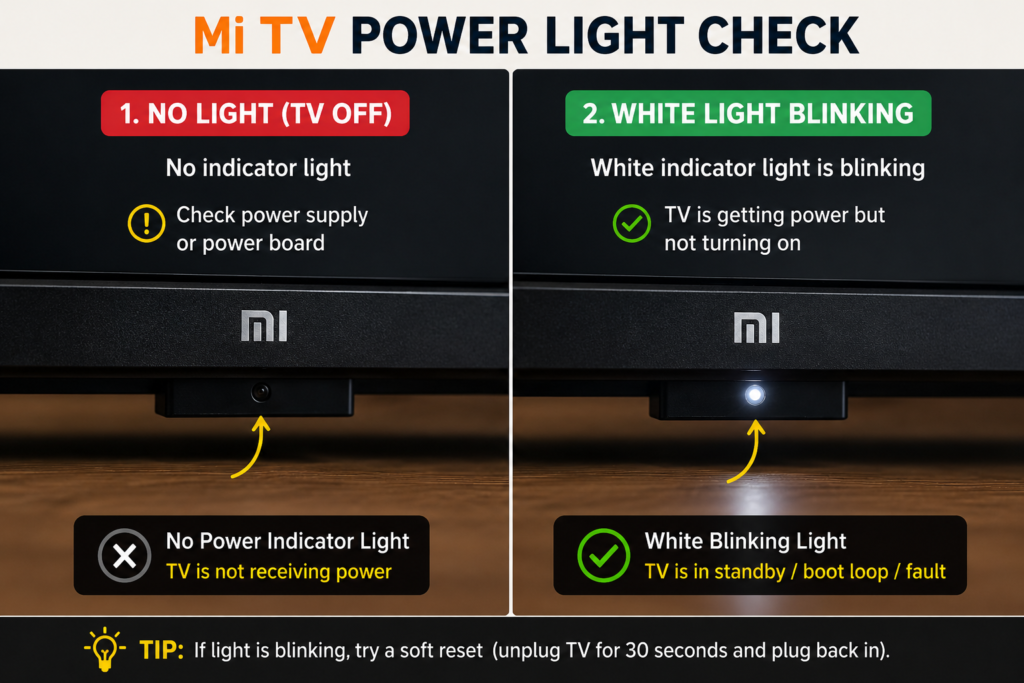
No red or white standby light at all? This usually points to a power board issue. White light blinking but TV won’t start? Could be a software crash or mainboard issue. Try holding the remote’s power button for 10 seconds.
Step 3: Try a Power Reset
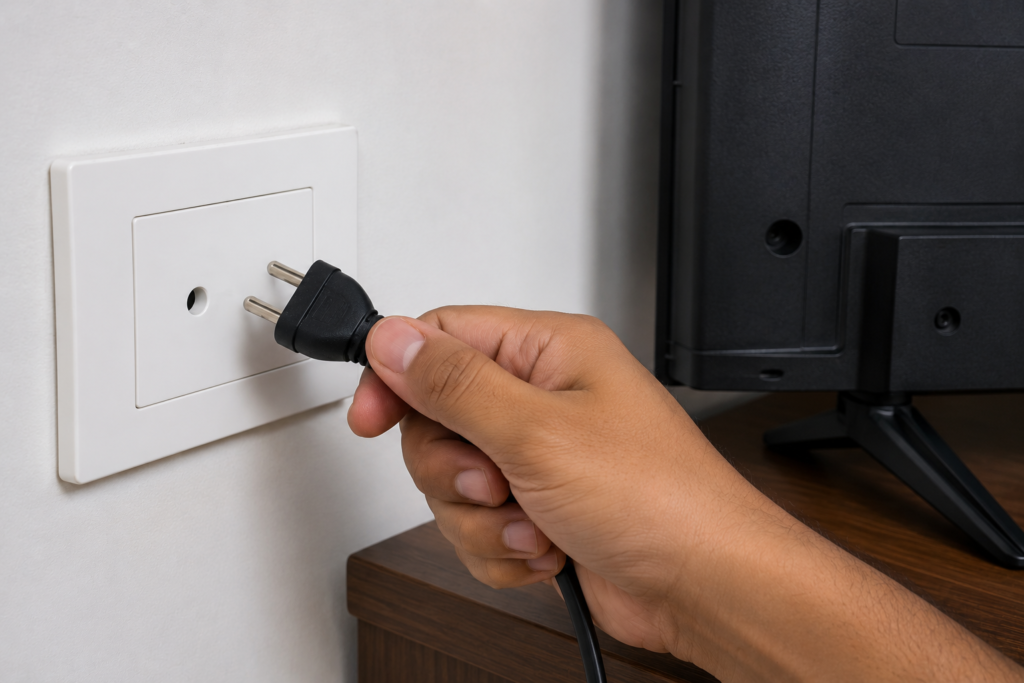
- Unplug the TV from the wall socket completely.
- Wait 60 seconds (not less — capacitors need to discharge).
- Plug it back in and try powering on.
- If still no response, move to Step 4.
Step 4: Contact MI Service Center First
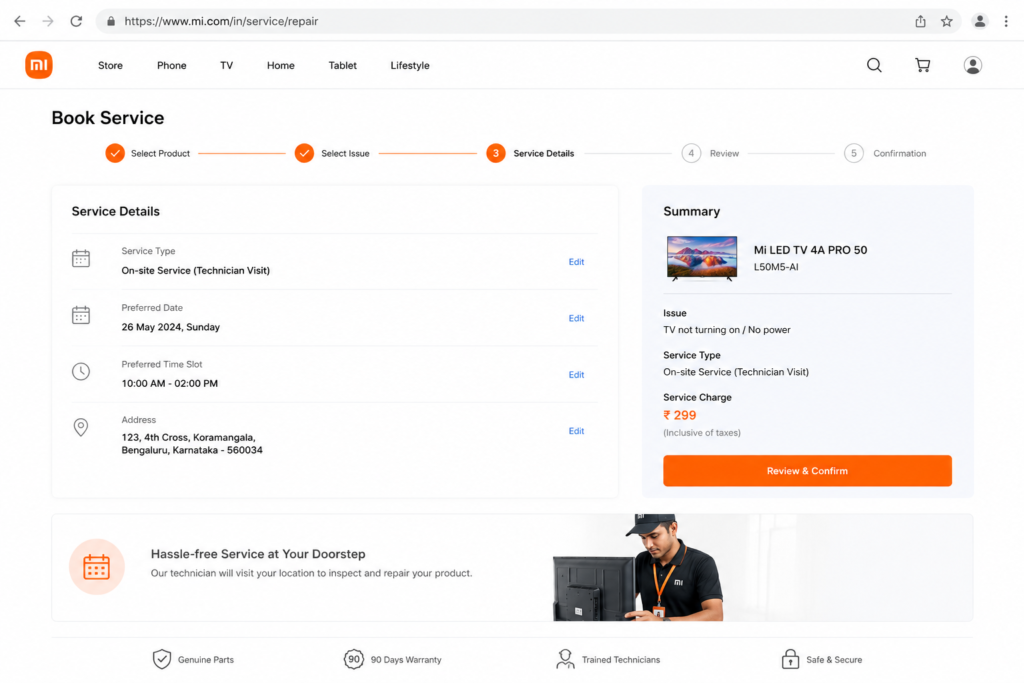
Book a technician visit via mi.com/service or the Mi community app. The visit charge is around ₹200. The technician will come home, open the TV, and diagnose the issue. In my case, the MI technician diagnosed a power socket issue and quoted ₹7000+ for a full mainboard replacement.
⚠ MI’s official technician will often recommend replacing the full mainboard or display, even when only a specific component has failed. Always get a second opinion from a trusted local technician before agreeing to major repairs.
Step 5: Get a Local Technician’s Opinion
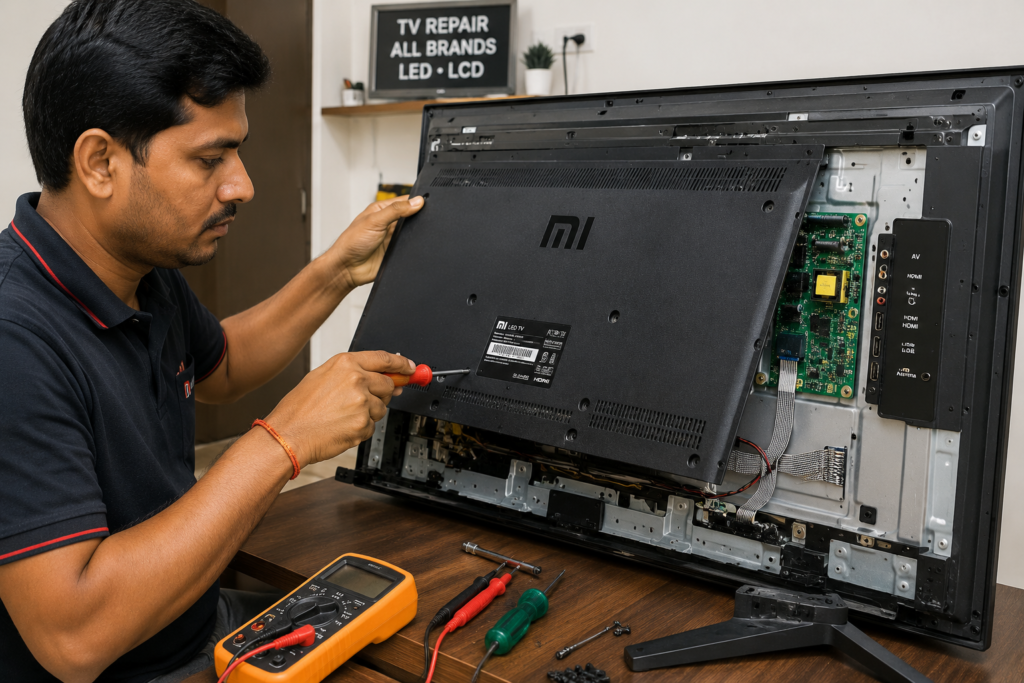
I called a local TV repair technician after the MI quote. He diagnosed the same power socket issue and fixed it for ₹3000 — less than half the MI quote. The TV worked perfectly for the next 1.5 months.
When the TV died again (backlight strips), the same local technician fixed it for another ₹3000. It’s been working perfectly for 2-3 months since.
After the Repair — What to Expect
- MI Service Center: Professional, warranty-backed repairs, but significantly more expensive. Expect ₹5,000–₹12,000 for mainboard or display issues.
- Local Technician: Cheaper (often 40–60% less), but no warranty on repairs. Find a reputable one through referrals. I got one month warranty.
- TV age matters: If your Mi TV is 5+ years old, weigh the repair cost vs the cost of a new budget TV.
- Check the result: After backlight repair, the picture should be bright, clear, and uniform across the screen.
- Prevent future damage: Use a good surge protector/stabilizer with your TV, and always power off both devices before plugging in HDMI cables.
Which Mi / Redmi / Xiaomi TVs Does This Apply To?
Applies To (Mi / Redmi / Xiaomi Android TVs)
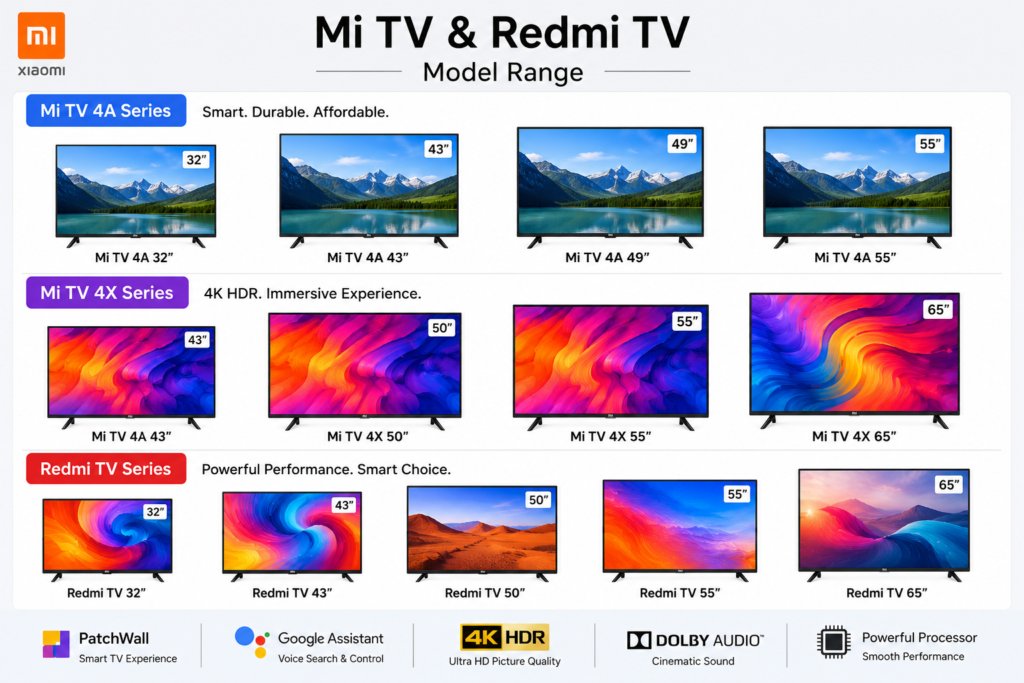
- Mi TV 4, 4A, 4C, 4X (32″, 40″, 43″, 55″)
- Mi TV 5X series
- Redmi TV 32″, 43″ (same hardware platform)
- Xiaomi TV A2, A Pro series
- Mi TV Stick (power issues are different — see separate guide)
May Also Apply To
- Other Android TV brands with similar power board layouts (TCL, Hisense budget models)
- Any smart TV with HDMI-related power failures
▶ Watch the Full Story on YouTube
I documented this entire experience — both repair visits, the costs, and what finally worked — in a short 2.5-minute video on my TapsVision YouTube channel.
🛒 Recommended Products to Protect Your TV
Based on my experience, here’s what I now use to prevent future TV damage:
1. Voltage Stabilizer / Surge Protector for TV — Protects against voltage spikes that can kill your TV’s power board.
2. High-Speed HDMI Cable (Braided, Shielded) — A quality HDMI cable with proper shielding reduces risk of electrical interference.
3. Budget Smart TV Upgrade (Samsung / LG) — If your repair cost is 50%+ of a new TV’s price, consider upgrading to a top-tier brand with better after-sales service.
Disclosure: Some links above may be affiliate links. If you buy through them, I earn a small commission at no extra cost to you. I only recommend products I personally find useful.
Frequently Asked Questions
Mi TV not turning on — what should I do first?
First, do the flashlight test to check if the backlight has failed. Then try a 60-second power reset. If nothing works, book a MI service center visit and separately get a local technician’s quote before agreeing to any repairs.
Mi TV is not turning on — is it the mainboard?
Not necessarily. MI service centers often suggest mainboard replacement, but the issue could be a cheaper component like the power board or backlight strips. Always get a second opinion. In my case, what MI called a mainboard issue was fixed by a local tech for ₹3000.
Redmi TV not turning on — same fix?
Yes. Redmi TVs run on essentially the same hardware platform as Mi TVs. The power board, backlight, and mainboard issues are identical. The same diagnostic steps and repair options apply to Redmi TV models.
Xiaomi TV not turning on — different from Mi TV?
Xiaomi and Mi TVs in India are the same product line. If your Xiaomi TV is not turning on, follow the exact same steps — flashlight test, power reset, MI service center visit, and local technician comparison.
Mi TV repair cost in India — how much should I expect?
MI Service Center charges: ₹200 technician visit + ₹5,000–₹12,000 for mainboard/display. Local technician: ₹2,000–₹4,000 for power board or backlight issues. Always get both quotes before deciding.
Mi TV black screen with sound — what’s wrong?
If you can hear sound but the screen is black, it’s almost certainly a backlight failure. Shine a flashlight on the screen — if you see a faint image, your backlight strips need replacement. This is usually a ₹2,000–₹3,500 fix.
TV android vs smart TV — which is better for after-sales service?
Android TVs from Chinese brands (Mi, Redmi, TCL) are budget-friendly, but after-sales service quality varies. Premium smart TV brands like Samsung, Sony, and LG offer better service networks and more consistent repair costs. If after-sales support is important to you, spend a little more on a top-tier brand.
Mi TV band nahi ho rahi hai — kya kare? (Mi TV not turning off / stuck?)
If your Mi TV is stuck or not responding to the remote, try removing the remote batteries and reinserting them. If the TV itself is frozen, hold the physical power button on the TV (not remote) for 10 seconds to force a restart.
Mi TV pe koi bhi display nahi dikh raha — kya HDMI ki wajah se hua?
Haan, HDMI cable se voltage spike ho sakta hai — especially agar dono devices on the ke saath cable connect ki. Power board damage ho sakti hai. Iska solution flashlight test se start karo, aur local technician se diagnose karwao.
Final Thoughts
Dealing with a Mi TV that won’t turn on is stressful — especially when an official service center quotes you ₹7000+ for a repair. My experience taught me two things:
- Always get a second opinion from a local technician before agreeing to a major repair.
- When buying a new TV, look beyond specs and price — check the brand’s after-sales service, repair costs, and customer support reputation.
Samsung, Sony, and LG cost a bit more, but the peace of mind from their service network is worth it. For now, my Mi TV is running perfectly — but when it’s time to upgrade, I’ll be choosing differently.
Hope this helped you avoid an unnecessary ₹7000 bill. If it did, like the video, subscribe to TapsVision, and share this post with anyone who’s dealing with the same problem.